


AI spend you can plan for
Set a monthly budget for AI in the Needl.ai apps, get an email as spend nears it, and see who is using what. When the budget is used, new questions, reports and monitoring agents pause until an administrator raises it.
Bring AI to every desk, inside a budget
Finance teams approve what they can predict. Needl.ai gives you a number to plan around, a warning before you reach it, and a clear view of where it goes.
-
A number to plan around
A monthly budget for AI in the apps, set by your own administrator and started afresh on the 1st.
-
A warning, then a pause
An email at the threshold you choose, then new questions, reports and agents pause when the budget is used.
-
Usage you can see
Spend against the budget, and how each product and each person uses Needl.ai.
The controls
The budget, its alerts and usage analytics live in the Needl.ai console, where your administrators already manage users and settings.
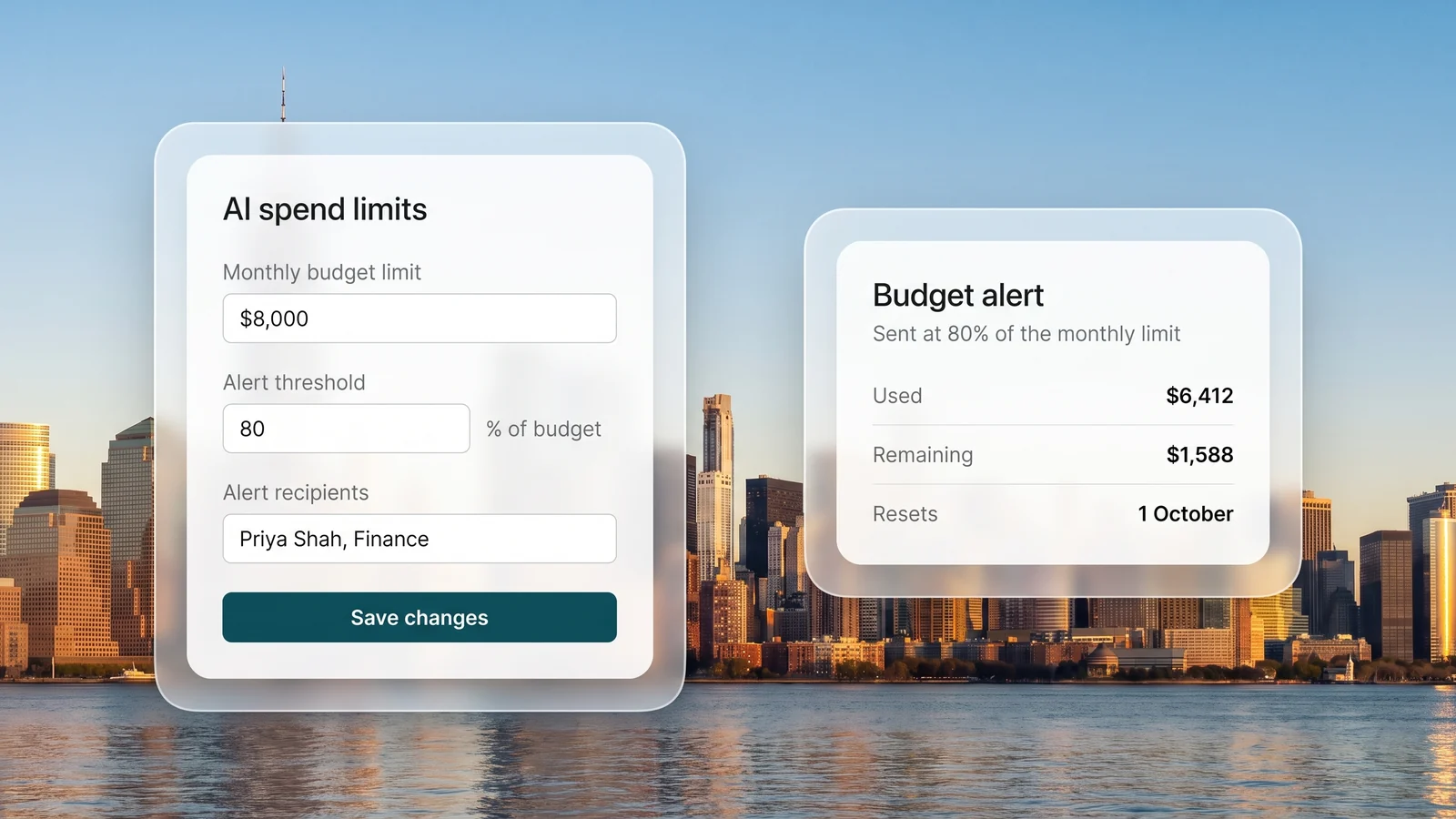
Set a budget and an early warning
An administrator sets the monthly limit in the console and chooses when to hear about it. The people you name get an email when spend crosses that threshold, and again if it reaches the limit. The console shows what has been used, what remains and when the budget resets.
- A monthly limit set by your own administrator
- An email at the threshold you choose, and at the limit
- Spend refreshed every 15 minutes, reset on the 1st
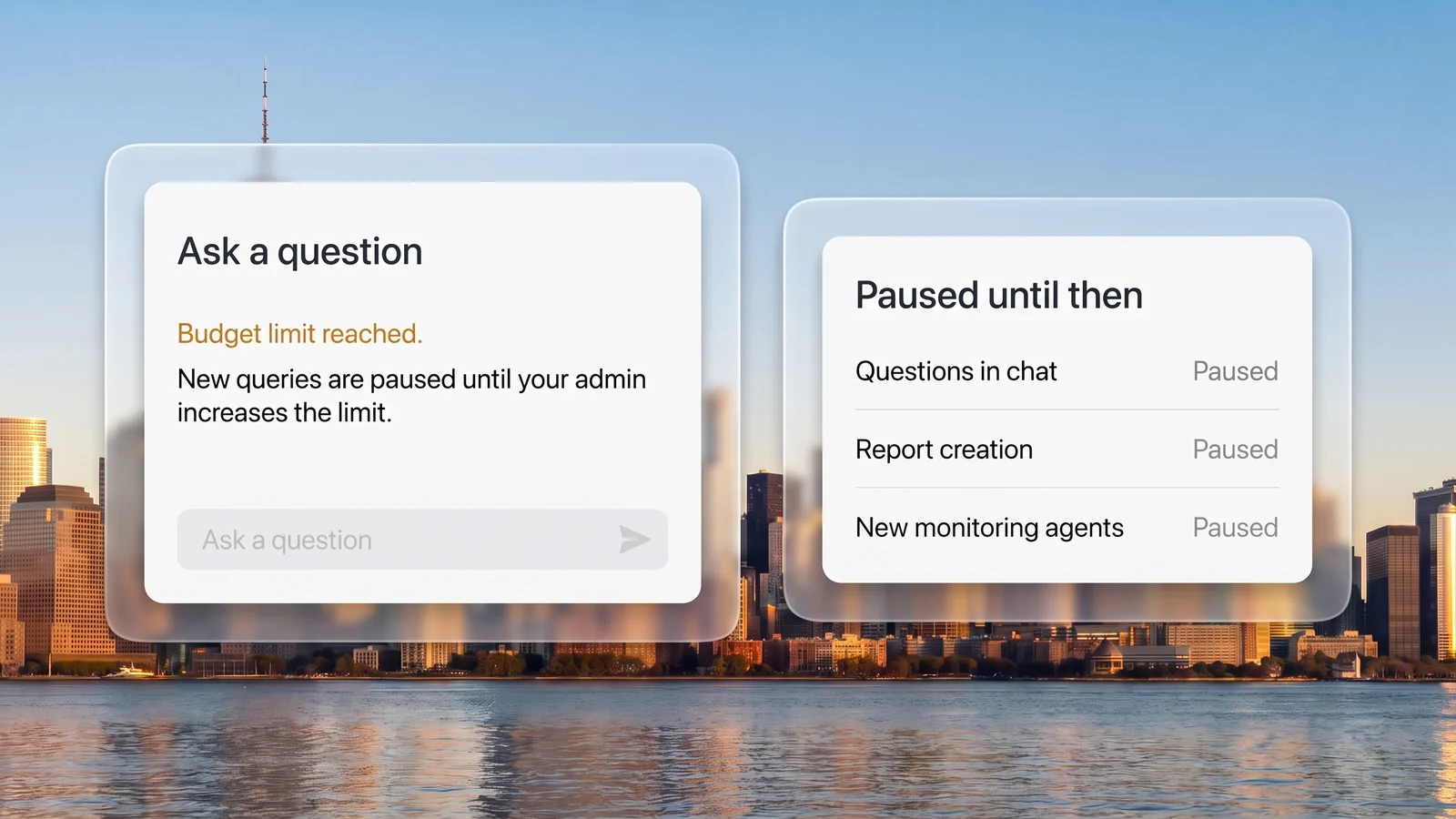
Pause at the limit
When the month's budget is used, new questions, new reports and new monitoring agents pause for everyone in the organisation, with a plain notice, until an administrator raises the limit or the month resets. Monitoring agents already running keep sending their alerts.
- Questions, reports and new agents pause together
- A plain notice for every user, not an error
- Work resumes as soon as the limit is raised
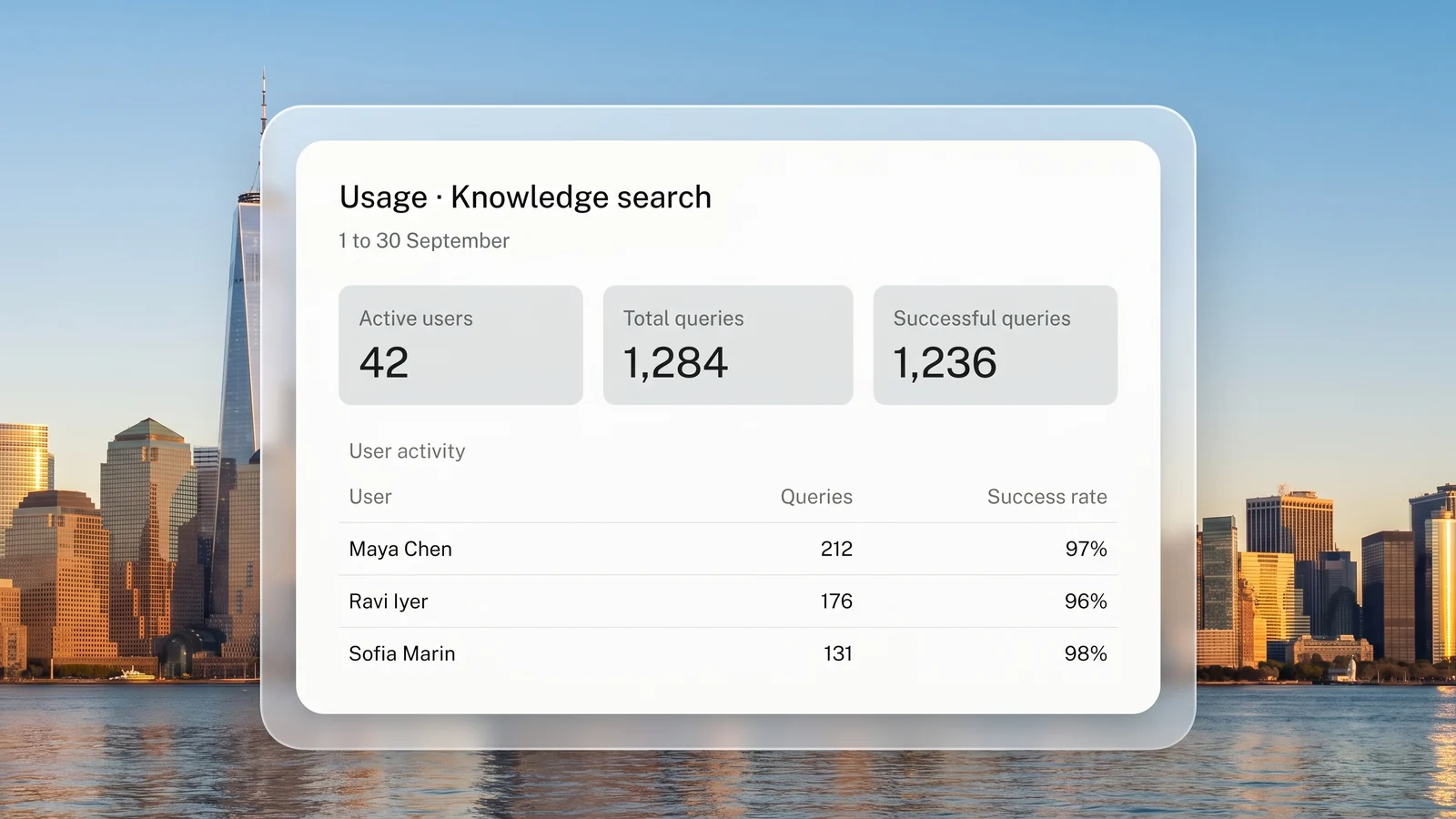
See who uses what
Usage analytics show how each product is used: active users, questions asked and answered, reports generated, monitoring agents and the alerts they send, and each person's activity. Pick any date range and export the figures for your own reporting.
- Usage by product and by person
- Any date range, with trends over time
- Export to Excel
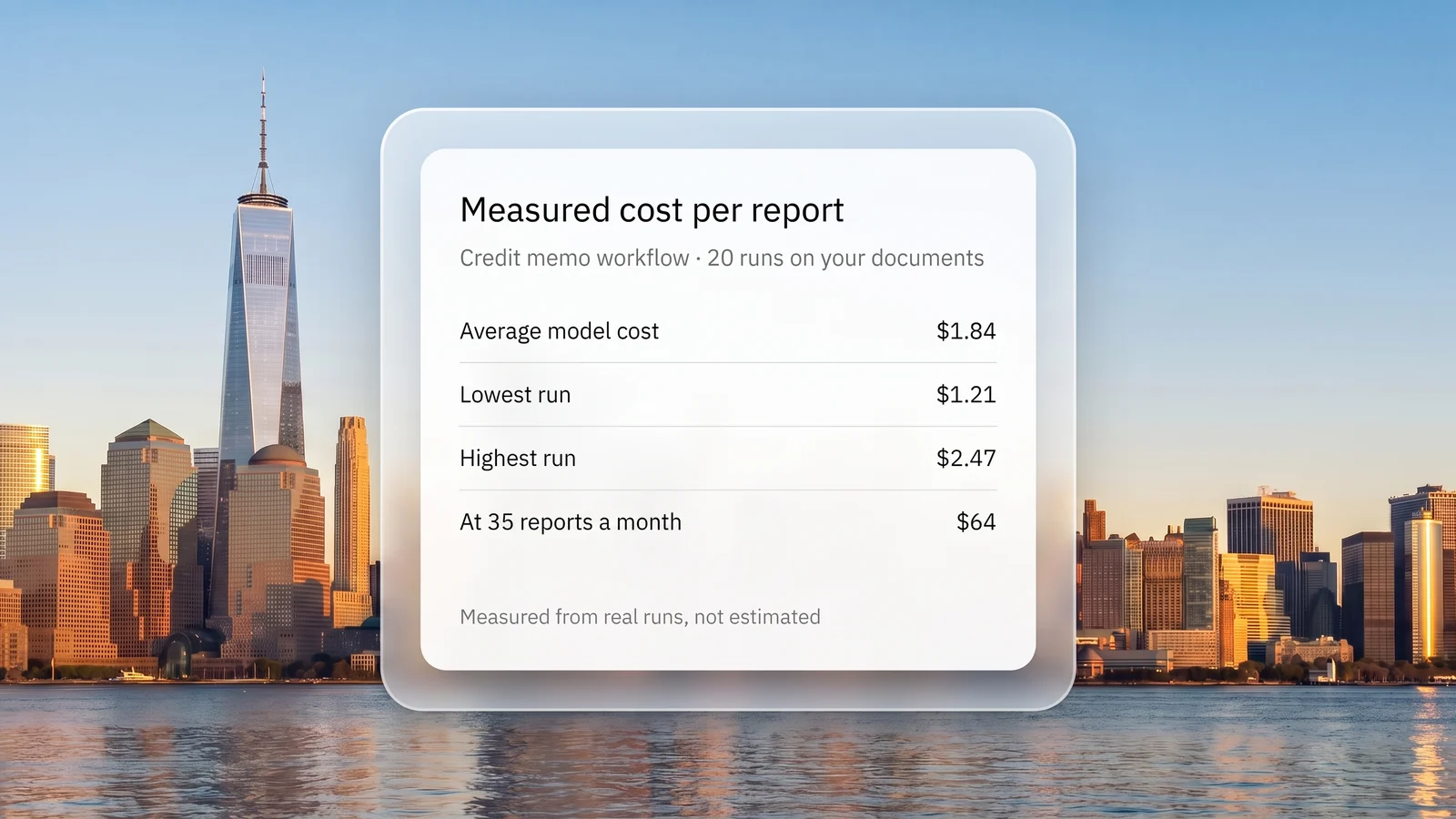
Know the cost before you roll out
We record the model cost of each report run, step by step. In a proof of concept we run your workflow on your own documents and give you the measured cost per report, so the budget starts from real numbers rather than a guess.
- Cost per report measured on your documents
- A monthly figure at your expected volume
- A budget agreed with you before launch
Built to use less of the model
A budget only helps if the work inside it is efficient. These choices are built into how Needl.ai reads, reasons and writes, so every task uses as little of the model as it needs.
-
Small models for routine steps
Extracting sections, summarising and translating run on small, fast models. The largest models are kept for analysis and drafting.
-
Documents cached, not resent
When a report asks many questions of the same document, the document is held in the model provider's cache instead of being sent in full each time.
-
A limit on every agent
Agents work within a set number of steps, and every model call has a time limit, so one hard question cannot run up an open-ended bill.
-
Only new and changed files
Connected sources sync their changes, and each processing step runs only on the documents that still need it.
-
Vision models only where needed
Plain documents are read with standard parsers. The costlier vision models are kept for complex, image-heavy documents.
-
Finished work is kept
If a report job has to run again, the sections already written are reused rather than generated a second time.
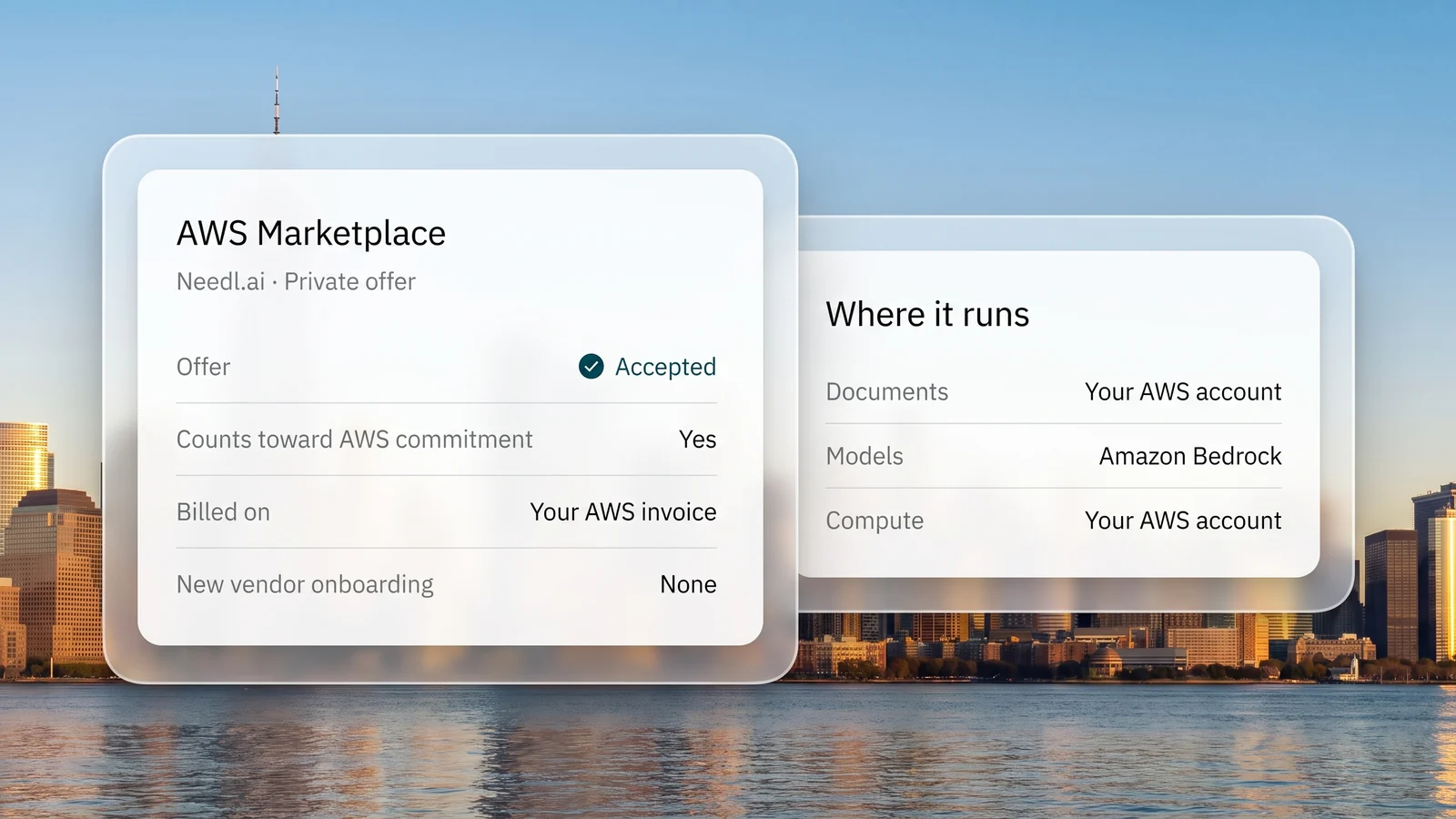
Your cloud, your bill
Run Needl.ai where the rest of your spend is already governed, under the agreements and limits you already have.
- Runs in your own AWS or Azure accountCompute sits on your own cloud bill, under the controls your team already uses.
- Models through your own endpointsRun models through Amazon Bedrock in your AWS account, or through your own model gateway, under the agreements you already have.
- Bought through AWS MarketplaceOne line on the AWS invoice you already pay, which can count toward your existing AWS commitment.
- Switch models without reworkYour data and workflows stay separate from the model, so moving to a newer or cheaper one does not mean starting again.
Measured, then published
We report cost next to accuracy in our own benchmarks, so you can see what an answer costs before you buy.
- $0.98Model cost per question on the OfficeQA Pro benchmarkAcross 89,000 pages of raw PDFs, in 2 minutes 22 seconds per question
- 64.66%Correct at zero tolerance on the same benchmarkAgainst 48.12% for the strongest published frontier agent
- 42Document extraction tools and models measured on quality, cost and speedTheir cost per document spans more than three orders of magnitude
Frequently asked questions
What finance and IT teams ask about AI spend.
What does the budget count?
The model spend of chat and agent work in the Needl.ai apps: the questions your users ask and the agents that search, analyse and draft for them. Document processing, scheduled monitoring and templated report runs are measured separately, agreed with you when the deployment is scoped, and are not counted against the monthly limit.
Who can set or change the budget?
Your organisation's administrators, in the console. They can raise or lower the limit, set the alert threshold and choose who is emailed. A change takes effect as soon as it is saved.
Who gets alerted, and when?
The people you name get an email when spend crosses the threshold you set. Your administrators are also emailed at 80% of the limit, and everyone is emailed again when the limit is reached. Each alert is sent once a month.
What happens when the budget is used?
Users see a notice that the budget limit has been reached, and new questions, new reports and new monitoring agents pause. Monitoring agents already running keep sending their alerts. Work resumes when an administrator raises the limit, or when the budget resets on the 1st.
How current is the spend figure?
Spend is refreshed every 15 minutes, so an alert or a pause can arrive a few minutes after the line is crossed.
Can we see who is using it?
Yes. Usage analytics, switched on for your administrators, show active users, questions, reports and monitoring activity for each product and each person, over any date range, with an export to Excel.
How do we estimate the cost before we commit?
In a proof of concept we run your workflow on your own documents and record the model cost of every run. You get the average cost per report and a monthly figure at your expected volume, and we agree the budget with you from there.
Can we use our own cloud and model accounts?
Yes. Needl.ai can run in your own AWS or Azure account, with models through Amazon Bedrock in that account or through your own model gateway. Trust & Security sets out the deployment options.
Plan your AI budget with us
Tell us the workflows and the volumes. We will measure the cost on your own documents and set the budget with you before anything goes live.