


Formatting before judgment
More of the day goes into layout and data entry than into the credit view, and a single report can take more than a day to prepare.
Needl.ai reads the rating rationale and the committee report, checks that they belong together, extracts the financials, ratings and peers, and drafts the report in your sector template. A first draft is ready in under an hour, as a Word document for your analysts to review.
A rating report follows a house format refined over years: which sections appear and in what order, which metrics a bank shows compared with an insurer, how peers are chosen and where the methodology links point. Analysts rebuild that structure for every company, from two long documents, against a committee date.
More of the day goes into layout and data entry than into the credit view, and a single report can take more than a day to prepare.
The same inputs come back with different structures, peers and wording, so reviewers spend their time on consistency.
A figure retyped wrongly or a disclosure missed is caught by a reviewer close to the committee date, or not at all.
Needl.ai checks the inputs, extracts the figures and writes to your template, in that order, so the analyst's time goes into the rating.
A file of the wrong type, a pair that describes two companies or a duplicate upload is stopped before writing begins, with a plain reason and the next step.
Financials, ratings, peers and framework values are read from both documents, scanned pages included, and carried over from the source tables verbatim.
Sections, order and metrics follow your template for each sector: corporates, banks, non-bank lenders, life and general insurers, and brokers.
A Word document in your house format. The analyst edits, applies judgment and publishes, and no rating decision is automated.
How one report moves through Needl.ai, start to finish.
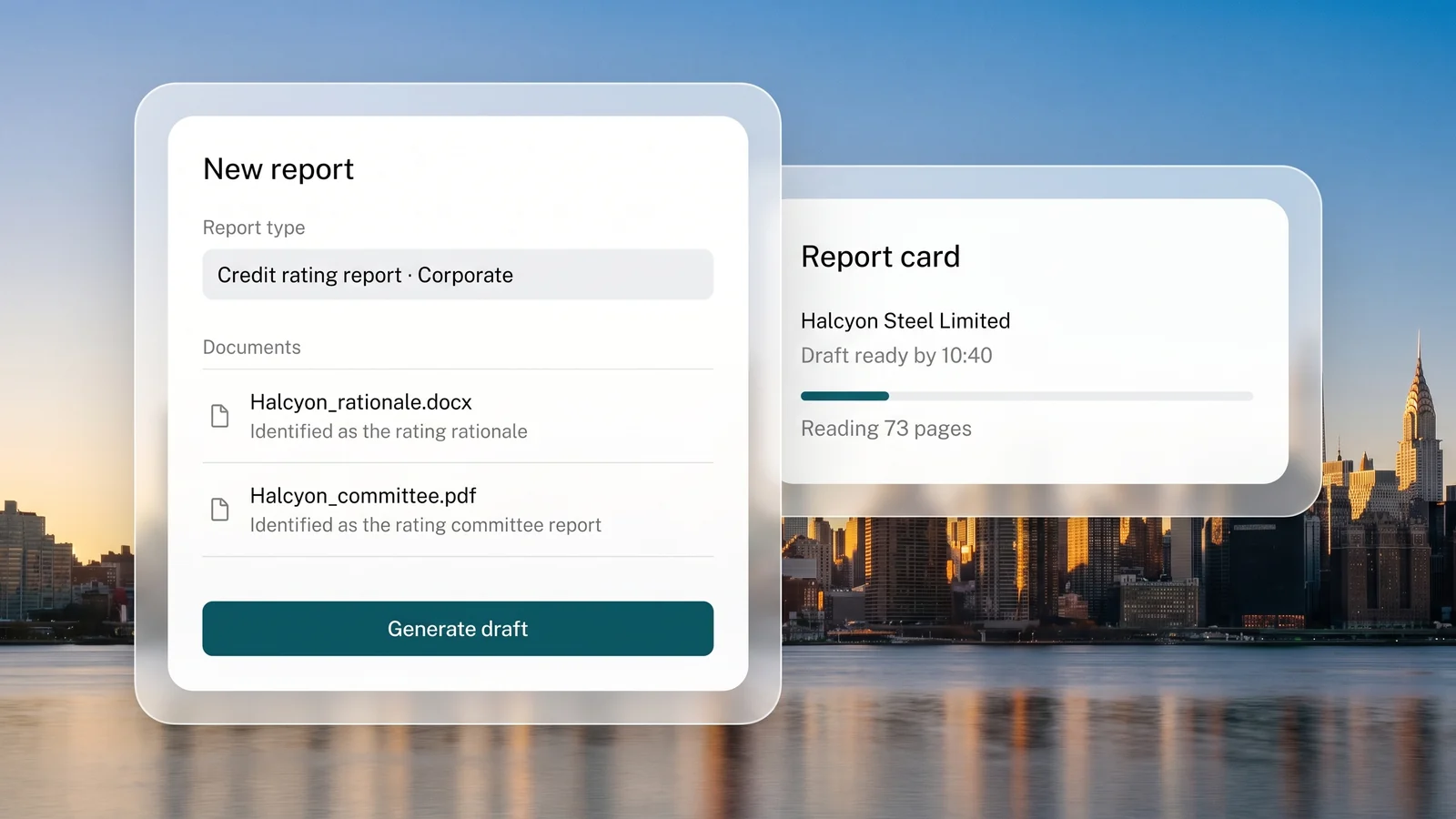
Choose the report type and upload the rating rationale and the rating committee report for one company, as Word or PDF files. Needl.ai works out which document is which, and the report card shows when the draft will be ready.
You getA report card with an expected finish time.
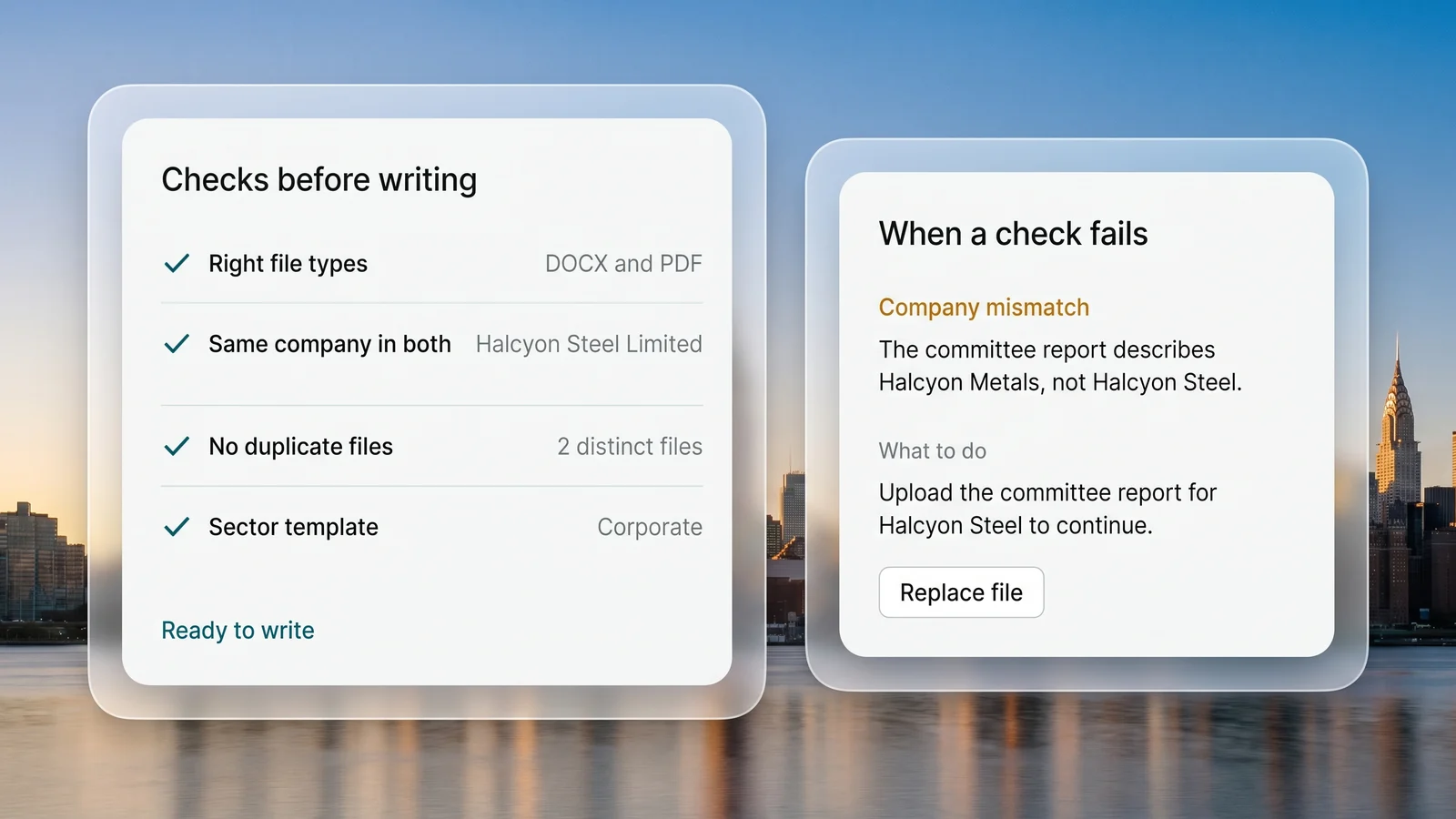
Needl.ai confirms that each file is the right type, that both describe the same company and that neither is a duplicate, then selects the sector template. A group report that covers the rated company is accepted. When a check fails, the card says why in plain words and what to do next, before any time is spent writing.
You getA clear go ahead, or the reason and what to fix.
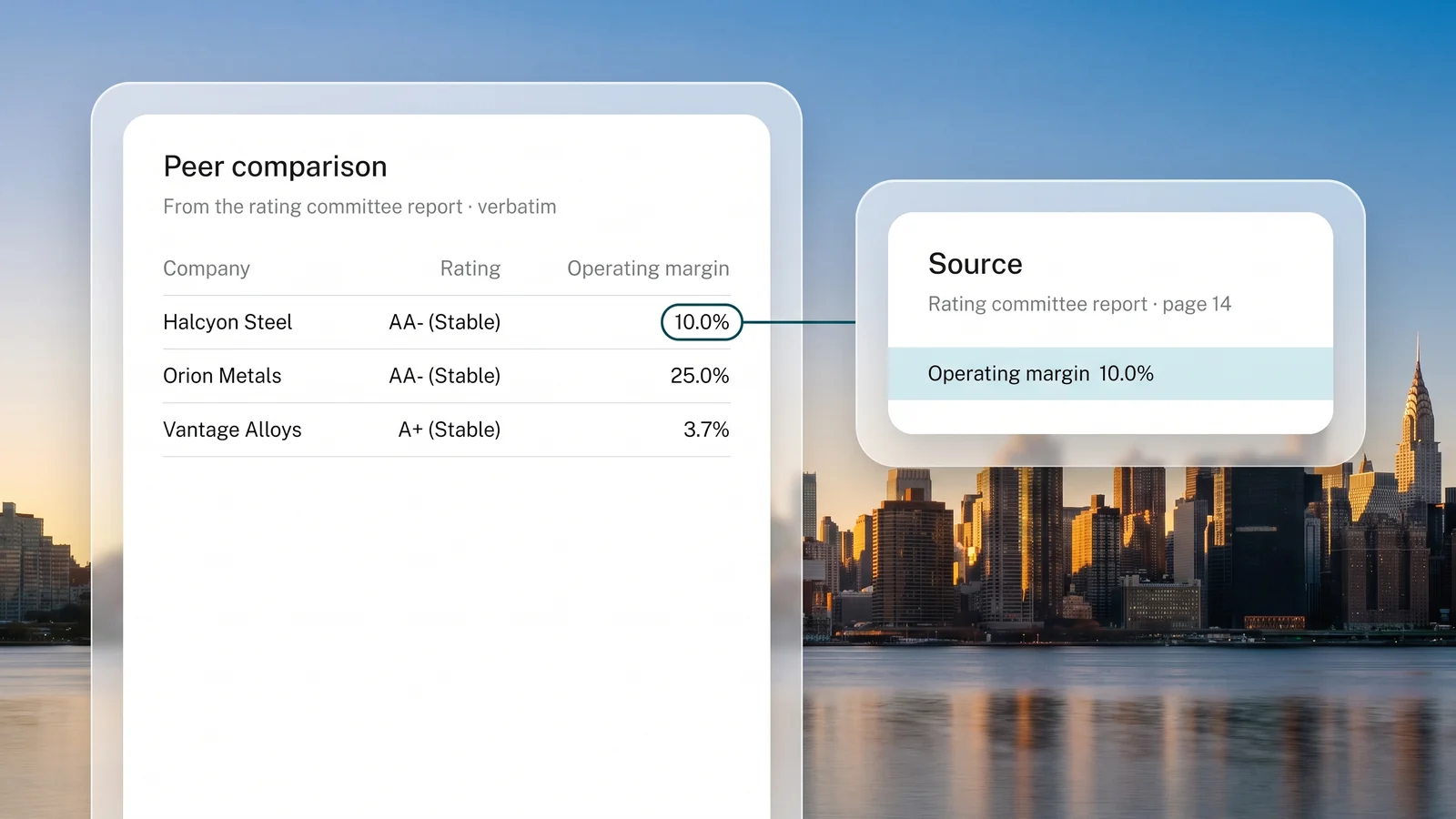
Every page of both documents is read, scanned pages included. Financials, rating history, peer data and framework values are carried over verbatim from the source tables, and peer ratings are restored exactly as the source states them.
You getFigures taken verbatim from the source.
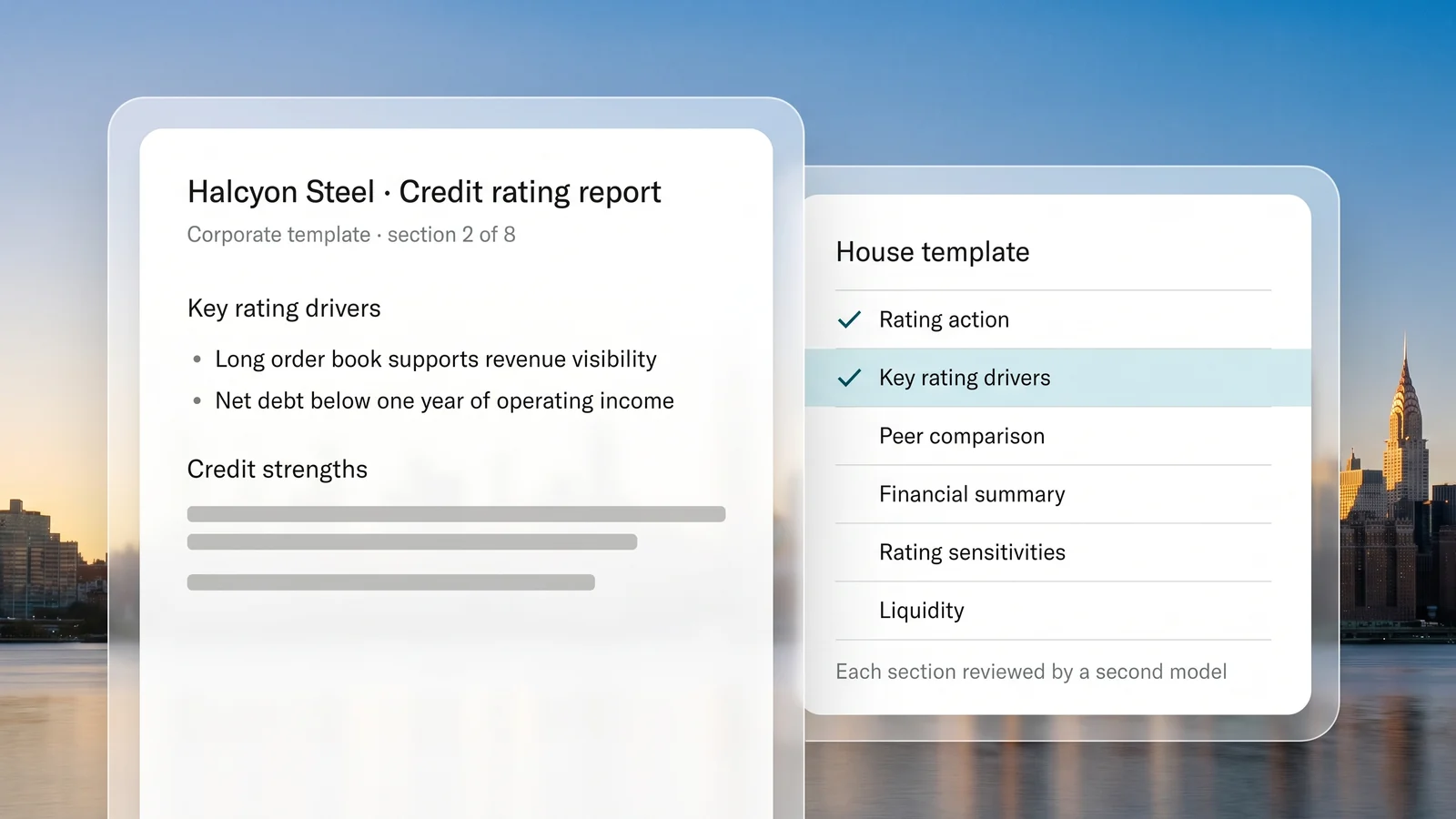
Each section is written against your sector's rules and checked by a second model. Section order, exhibit numbering, table layout and styling are then set by fixed rules, so every draft matches the house format.
You getA complete draft in your house format.
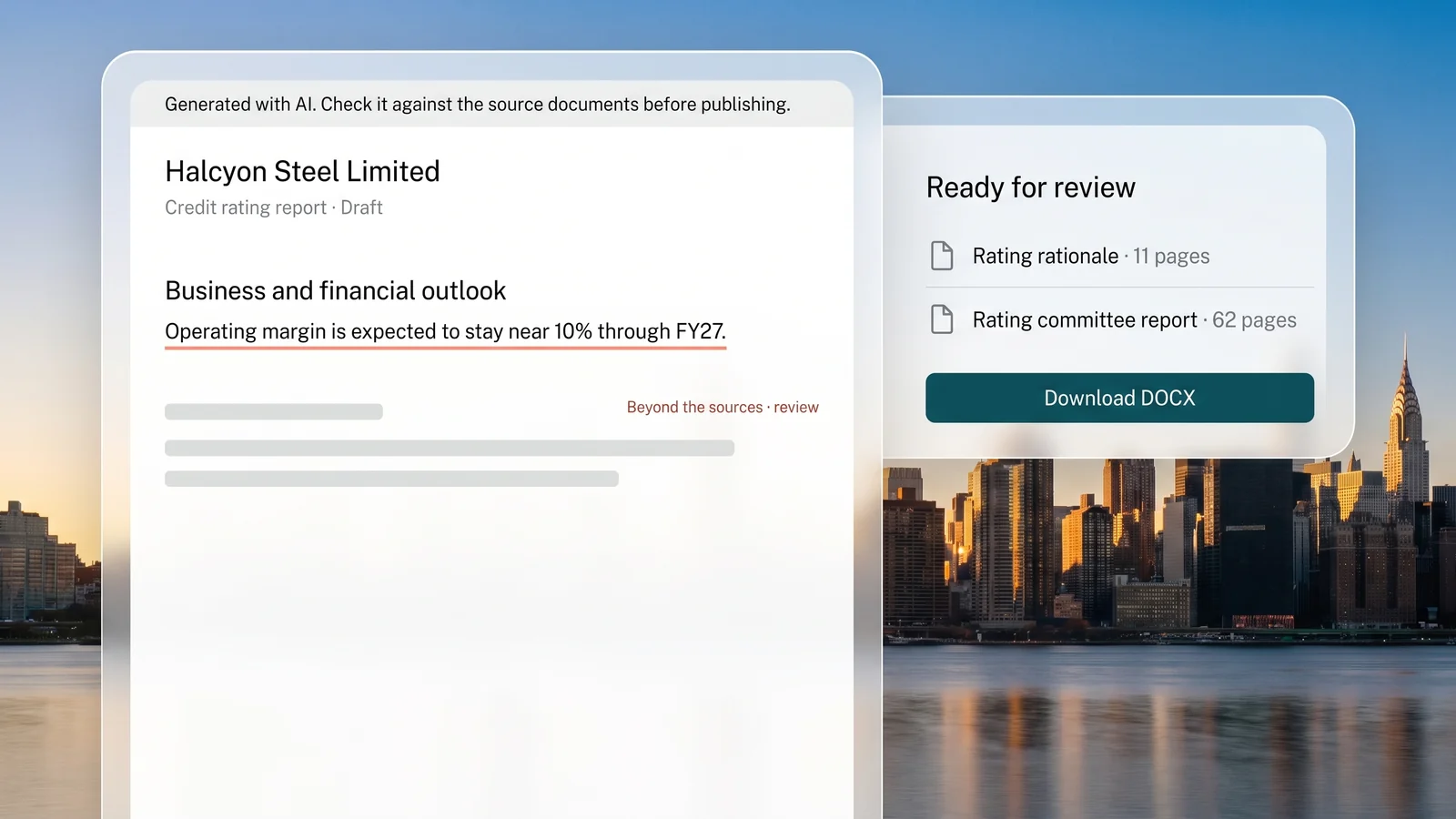
The analyst opens the draft in Word, checks it against the two source documents, applies judgment and publishes. Where the draft goes beyond the sources, as in a projected outlook, a red note marks it for the reviewer, and the draft opens with a note that it was generated with AI.
You getA Word draft in your template, ready for review.
Each part of the report is built from the source documents and placed where your template expects it, with two more report types and a research assistant in the same workspace.
The rating, the outlook and the reasoning behind them, carried through from the rationale.
Credit strengths and challenges, written from the committee report in the order your template sets.
The liquidity position and the factors that could move the rating up or down.
The company against up to three rated peers from the source peer table, with each sector's own metrics and the peer ratings exactly as the source states them.
Each factor of the analytical framework with its assessment, read from the scorecard in the committee report, alongside the analytical approach.
Past financials, three years of rating history, the limits rated and the entities consolidated, in the template's own tables.
Reports on listed and unlisted companies, built from an annual report or audited financials, with sentence-level citations to the source.
A new annual report in your filings feed can start a credit report and send it to the analysts who cover the company.
Analysts ask questions of the research they are entitled to see and get answers with citations they can open.
“Needl.ai reduced our analyst effort by more than 60%, while improving the accuracy and turnaround time of the reports we produce every day.”
“They recognized that a one-size fits-all approach wouldn't work for credit analysis. This collaborative approach gave us confidence that they can support our long-term automation goals.”
Needl.ai is deployed in your own AWS or Azure account, in the region your regulator requires. Source documents and reports are stored there, and reports are deleted automatically when the retention period you set runs out.
 AICPA SOC 2
 ISO 27001 certified
 ISO 42001 in progress
 GDPR compliant
 CASA assessed
What rating teams ask before running live reports on Needl.ai.
The rating rationale and the rating committee report for one company, as Word or PDF files. Needl.ai identifies which document is which and checks that they belong together before it writes anything. A group report that covers the rated company is accepted.
Yes. Your template is set up with our team: the sections and their order, the metrics for each sector and the table layouts. Section order, numbering and styling are set by fixed rules on every draft, so the structure does not vary from one analyst to the next.
No. Needl.ai drafts the report and your committee assigns the rating. The analyst reviews the draft, applies judgment, edits and publishes, and the draft opens with a note that it was generated with AI.
Figures are carried over verbatim from the source tables, peer ratings are restored exactly as the source states them, and a second model checks every section. Where the draft goes beyond the sources, a red note marks it for the reviewer, and the analyst reviews every report before it is published.
The checks run before writing starts. If a file is the wrong type, the documents describe different companies or the same file is uploaded twice, the report card explains the problem in plain words and says what to do next. If a run fails for any other reason, regenerating with the same documents takes one click.
In your own AWS or Azure account, in your region. Documents and reports are stored there and deleted automatically when your retention period runs out, and the language models it calls are the ones agreed for your deployment.
Bring a rating file your analysts have already written up, and compare the first draft with the report they published.