


Permissions from the source
Needl.ai records who can open each item in the source system, and every search and answer follows it.
Needl.ai connects to your email, files, chat, CRM and data warehouses, and reads filings, regulators and the web alongside them. The Needl.ai API puts the same cited answers inside the applications you build.
Each connector syncs continuously and carries the source system's permissions with it, so people only find what they could already open.
 GmailEmails and attachments
 OutlookEmails and attachments
 SharePointSites and document libraries
 OneDriveFiles and folders
 Google DriveFiles and folders
 BoxFiles and folders
 DropboxFiles and folders
 Azure Blob StorageDocuments in storage containers
 SlackChannels and messages
 Microsoft TeamsChats and channels
 TelegramChannels and groups
 OneNoteNotebooks and pages
 EvernoteNotebooks and notes
 XAccounts and posts
 HubSpotCompanies, contacts and deals
 SnowflakeTables for analysis and reports
 PostgreSQLTables for analysis and reports
Need a source that is not listed? Our team builds connections to the sites and portals you rely on, and any document can be uploaded directly.
The Needl.ai API builds search, cited answers and document reading into your client portals, internal tools and workflows.
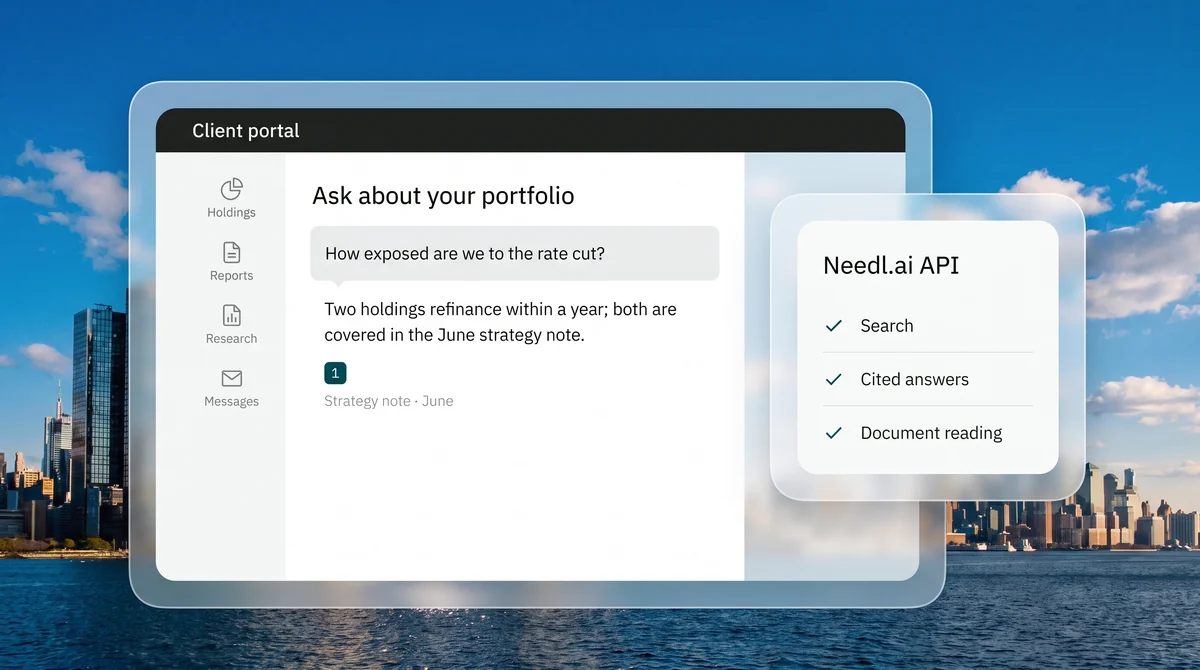
Put Needl.ai's search and cited answers in the portals and applications your teams and clients already use.
Send documents from your own systems into Needl.ai, where they are read and ready to search.
Pull finished reports and exports into the systems your team works in.
Needl.ai records who can open each item in the source system, and every search and answer follows it.
The details used to connect your systems are encrypted and never shown again once saved.
After the first sync, each connector follows changes at the source, so answers reflect the latest version.
What teams ask before connecting their systems.
Email in Gmail and Outlook; files in SharePoint, OneDrive, Google Drive, Box, Dropbox and Azure Blob Storage; messages in Slack, Microsoft Teams and Telegram; notes in OneNote and Evernote; HubSpot; Snowflake and PostgreSQL; and X. Needl.ai also reads SEC EDGAR, BSE and NZX filings, CRISIL ratings, news feeds, regulator sites and the websites you choose.
Yes. Each connector records who can open every item in the source system, and every search and answer is filtered by that record.
Contact us. We set up access for your organisation and help your team get started.
Yes. Our team builds connections to specific sites and portals, including ones behind a login, and documents from any other system can be uploaded directly.
After the first sync, connectors keep following changes at the source, and news feeds are read as they publish.
We walk through the connectors and the API for the way your team works.